
What Is a Micro SD Card?
Pick up your phone, dash cam, GoPro, or Nintendo Switch — they all share one thing: a Micro SD card.
It is smaller than your thumbnail, yet it holds up to 1 TB of data. And billions of them ship every year.
If you have ever wondered what exactly a Micro SD card is, how it works, or which one to buy, this guide covers everything you need to know.
What Is a Micro SD Card?
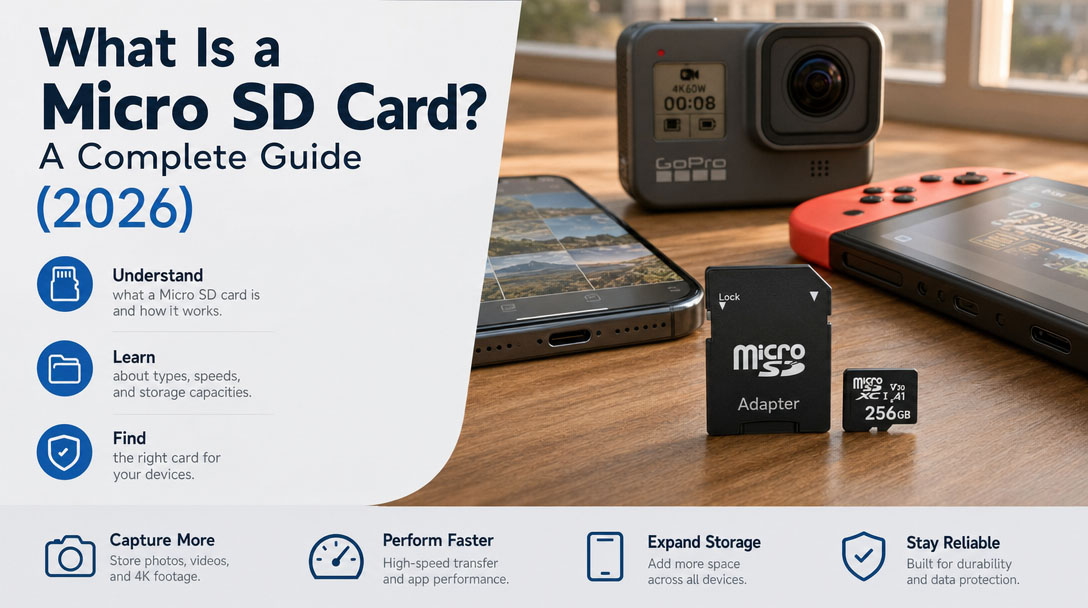
A Micro SD card (short for Secure Digital Micro) is the smallest removable flash memory card in the world.
Size: just 15 mm × 11 mm × 1 mm, weighing about 0.5 grams.
It stores data in non-volatile NAND flash chips — meaning nothing disappears when the power goes out.
Micro SD cards were originally called TF cards (TransFlash), invented by SanDisk in 2004. The SD Association adopted the standard the following year and renamed them Micro SD. They are the youngest member of the SD family, which once included Standard SD and Mini SD.
Mini SD is dead. Micro SD won.
How Does a Micro SD Card Work?
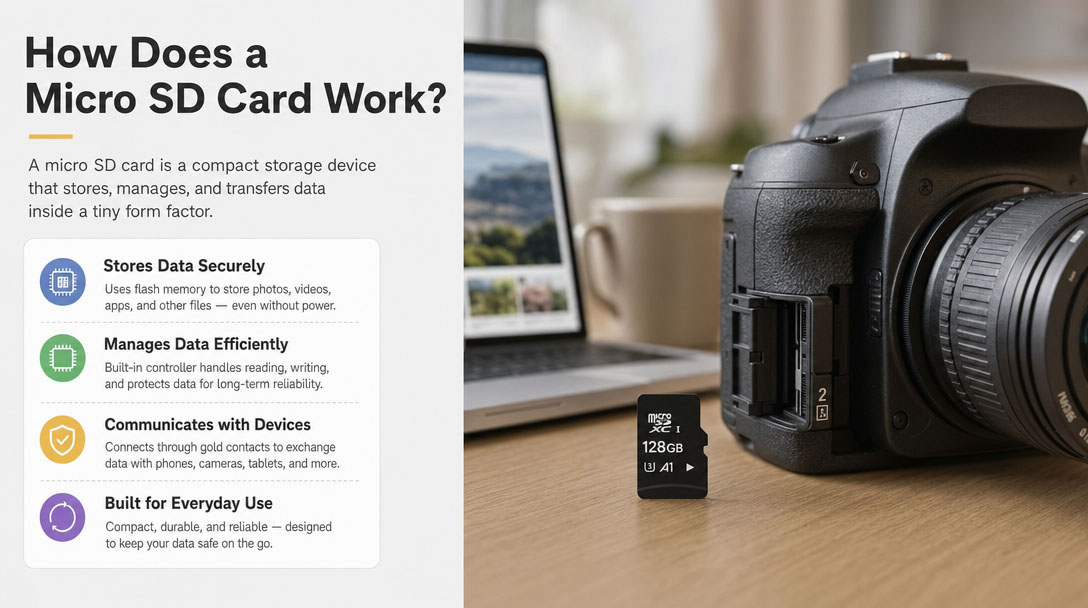
At its core, a Micro SD card has four components:
- NAND Flash chip — stores your data
- Controller chip — manages read/write, wear leveling, and error correction
- Firmware — the controller's instruction set
- Gold contacts (8–9 pins) — connect the card to the device
Insert it into a slot, and it works instantly — no drivers needed. Hot-swappable. Plug and play.
You can also slide a Micro SD card into a full-size SD adapter, and it works in any standard SD slot. Same card, bigger shell.
Micro SD Card Capacity Standards
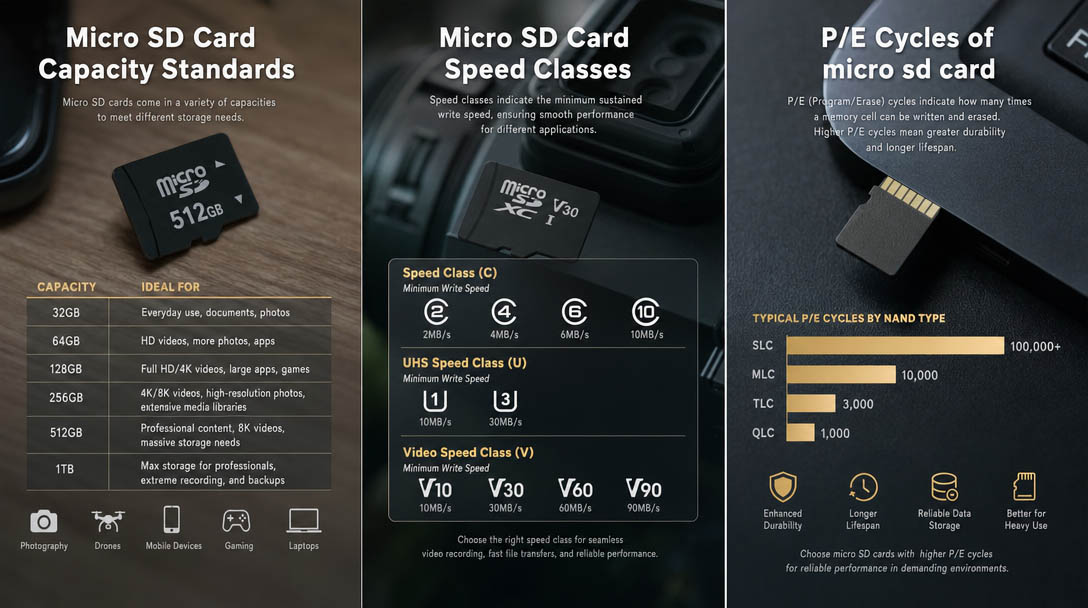
Not every Micro SD card works in every device. The SD Association defines four capacity families:
| Standard | Capacity Range |
File System |
Notes |
SD |
Up to 2 GB |
FAT12 / FAT16 |
Effectively obsolete |
SDHC (High Capacity) |
4 GB – 32 GB |
FAT32 |
Still common in basic devices |
SDXC (eXtended) |
64 GB – 2 TB |
exFAT |
Best price-per-GB today |
SDUC (Ultra) |
2 TB – 128 TB |
exFAT |
Still rare |
⚠ Older devices may not support SDXC or SDUC. Check your device manual before buying.
Micro SD Card Speed Classes
Speed labels come in three overlapping generations. Here is what each one means.
Speed Class (Original — "C")
The oldest standard, marked by a number inside a circle:
| Mark | Minimum Write Speed |
C2 |
2 MB/s |
C4 |
4 MB/s |
C6 |
6 MB/s |
C10 |
10 MB/s — baseline, anything below is not worth buying |
UHS Speed Class — "U"
A number inside a U-shaped bucket, introduced alongside the UHS bus interface:
| Mark | Minimum Write |
Best For |
U1 |
10 MB/s |
1080p video |
U3 |
30 MB/s |
4K recording |
Video Speed Class — "V"
The newest and most relevant standard for video recording:
| Mark | Minimum Write |
Best For |
V10 |
10 MB/s |
Basic HD recording |
V30 |
30 MB/s |
4K action cameras, drones |
V60 |
60 MB/s |
High-bitrate 4K / entry 8K |
V90 |
90 MB/s |
8K / professional video |
Application Performance Class — "A"
Measures random IOPS — determines how well apps and games run off the card:
| Mark | Random Read |
Random Write |
Best For |
A1 |
1,500 IOPS |
500 IOPS |
General storage, media files |
A2 |
4,000 IOPS |
2,000 IOPS |
Running apps, Nintendo Switch, Android gaming |
Quick Buying Guide by Use Case
- Dash cam / security camera: Class 10 or U1, prioritize sustained write stability
- 4K action camera / drone: V30 or higher
- 8K video / professional shooting: V90 + UHS-II
- Nintendo Switch / phone storage: A1 or A2
The Controller: The Hidden Factor
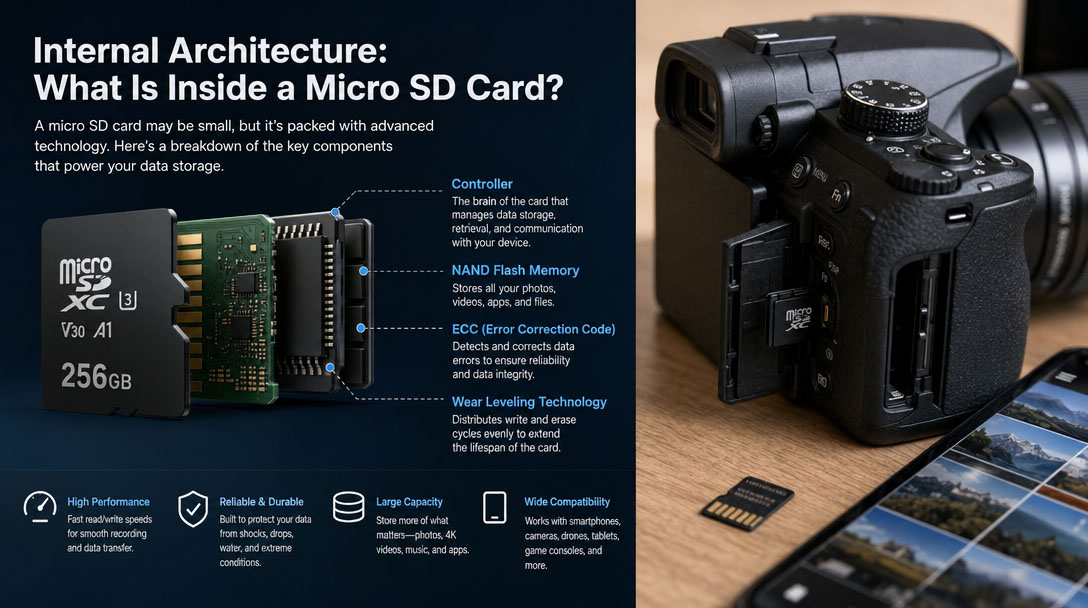
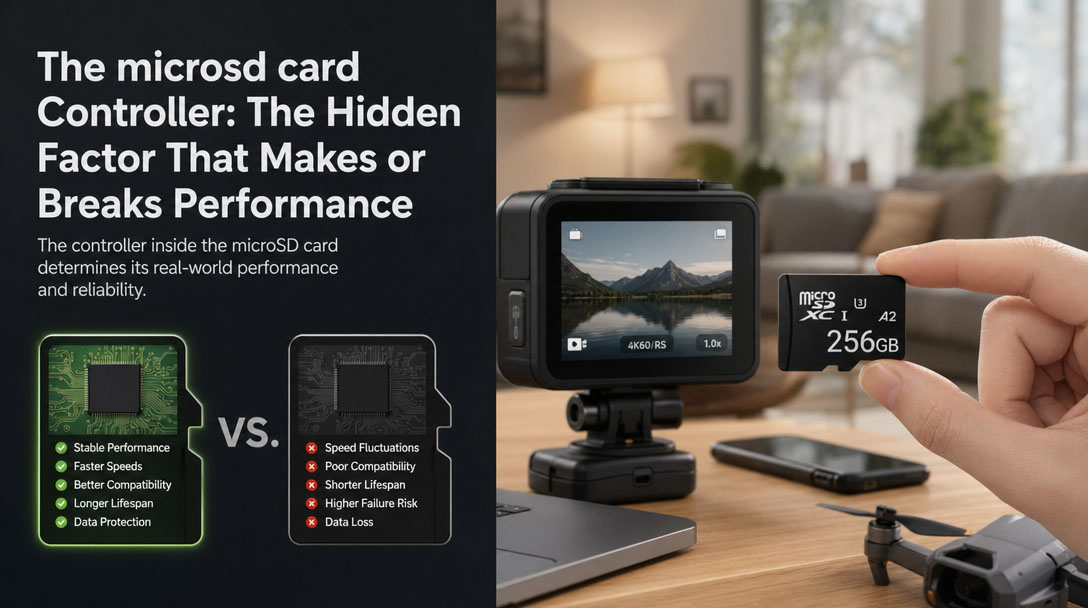
Two Micro SD cards can carry the same speed rating on the label and deliver completely different real-world results. The difference almost always comes down to the controller chip.
Think of the NAND flash as a warehouse and the controller as the warehouse manager. A great manager keeps things organized and moving fast. A bad one creates bottlenecks.
The controller handles five critical tasks:
- Wear leveling — spreading writes evenly so no cell wears out prematurely
- Bad block management — detecting and isolating damaged cells
- Error correction (ECC) — fixing bit errors during read/write
- Garbage collection — cleaning deleted blocks to maintain speed
- Read/write scheduling — optimal order for maximum throughput
Quality vs. Cheap Controller
Factor |
Quality Controller |
Cheap Controller |
Sustained write speed |
Stays close to rated speed |
Drops 40–60% after cache fills |
Error correction |
Strong ECC, low corruption |
Weak ECC, higher risk |
Lifespan |
Better wear leveling = longer life |
Uneven wear = premature failure |
Random IOPS |
Consistent A2 performance |
Falls short of spec in real use |
A cheap card with a low-quality controller might show great benchmark numbers for the first 10 seconds — then slow to a crawl once its tiny SLC cache fills up. That is why some budget cards feel fast in the store but drop frames during a 20-minute 4K recording.
Pay for the controller you do not see — not just the speed rating you do.
Internal Architecture: NAND Flash Types
Type |
Bits/Cell |
P/E Cycles |
Use Case |
SLC |
1 |
100,000+ |
Industrial, military |
MLC |
2 |
3,000–10,000 |
Prosumer gear |
TLC |
3 |
500–3,000 |
Consumer mainstream |
QLC |
4 |
100–1,000 |
Budget, read-heavy |
Most consumer Micro SD cards use TLC or QLC NAND. The controller's job is to compensate for the inherent weaknesses of cheaper NAND through aggressive wear leveling and error correction.
Micro SD vs. Other Storage
Comparison |
Micro SD Card |
SD Card |
USB Drive |
Size |
Smallest (thumbnail) |
Larger (stamp) |
Medium |
Speed |
Depends on class |
Depends on class |
USB 2.0 / 3.0 |
Portability |
Extremely high |
Moderate |
High |
Adapter |
→ SD via adapter |
→ Micro SD ✗ |
Not applicable |
Best for |
Phones, cameras, sports |
DSLR, camcorders |
PC transfer |
Price/GB |
Low |
Slightly higher |
Moderate |
Micro SD vs. SD: Same technology. Micro SD in an adapter performs identically to a full-size SD card with the same specs.
Micro SD vs. USB: Micro SD cards are designed for continuous operation in dash cams and cameras. USB drives prioritize burst transfers.
Micro SD vs. SSD: SSDs are dramatically faster. Micro SD wins on price/GB, size, and removability.
How to Choose the Right Micro SD Card (2026)
What to Look For
- Brand: Samsung, SanDisk, Kingston, Kioxia, Transcend — stick to established names
- Capacity: SDXC (64 GB–1 TB) gives the best value today
- Speed class: Match V or U rating to your use case — do not overpay for speed you will not use
- Application class: A2 for phones and Switch. A1 is enough for media storage
- Endurance rating: Dash cams and security cameras need "High Endurance" or "Max Endurance" cards
What to Avoid
- Fake cards: A 1 TB card priced at $10 is a scam. Files will corrupt silently.
- Capacity-expanded cards: Firmware-modified to report false sizes. Test with h2testw (Windows) or F3 (Mac/Linux).
- Unverified sellers: Third-party marketplace listings are the #1 source of counterfeit cards.
- Ignoring device limits: A 1 TB card is useless if your device maxes out at 256 GB.
How to Make Your Micro SD Card Last
- Never pull it out during a read or write operation
- Back up important data — no storage medium lasts forever
- Avoid extreme temperatures (consumer cards: −25 °C to 85 °C)
- Safely eject before long-term storage
Expected lifespan: 3–10 years normal use. Dash cams / security cameras: replace every 1–2 years.
Bottom Line
A Micro SD card is the world's smallest removable storage device — and it is everywhere.
Understanding capacity standards (SDHC / SDXC) and speed ratings (Class / U / V / A) is all you need to pick the right card.
Do not buy the cheapest option. The controller inside matters just as much as the speed printed on the label. Your data is worth more than the price difference.
Match the card to your actual use case, buy from a trusted brand, and you will get reliable performance for years.